Lights & Electronics

Best Bike Odometers of 2026

A bike odometer seems like a simple enough ask: mount it, ride, and know how far you've gone. But anyone who's squinted at a washed-out screen or spent twenty minutes pairing a sensor knows the category has a way of making the simple feel complicated. The right unit fixes that—it gives you reliable distance, speed, and ride time without asking you to become a bicycle mechanic or a Bluetooth troubleshooter.

Over the past four months, my team and I rode with 14 different odometers—from basic wired units to app-connected models—and the differences came down to the details: how clear the numbers stayed in sun and rain, how quickly each unit installed, and whether the distance readings matched a phone GPS over the same route. Value mattered too, not just the sticker but whether the thing kept working after a few bumpy miles. One thing I'd tell any first-time buyer: the instruction manual is part of the product, and a clear one-page setup is worth more than a slightly fancier unit that leaves you guessing. The picks below are the ones that earned a permanent spot on our handlebars.

1

Garmin Edge 1050

Top Pick
Garmin Edge 1050

Premium touchscreen navigation

Our Score 9.4/10
Check Price

Worth Noting

  • Heavy at 5.7 ounces
  • Touchscreen can be fussy in rain
Screen
3.5 inches
Battery
Up to 20 hours, 60 in saver
Storage
64 GB
Connectivity
Bluetooth, Wi-Fi
Read the full review

The Edge 1050 is the computer here with the screen you notice before anything else: a 3.5-inch color touchscreen that is bright enough to read in direct sun and big enough to show a map without squinting. That is the reason to pay the premium. The rest of the package, including 64GB of storage, road hazard alerts, and smart connectivity, is built around that display.

Battery life is rated at up to 20 hours in demanding use and 60 hours in saver mode, which covers long rides and gives you a cushion on big days. The 3.5-inch screen is the reason the unit exists, and Garmin uses it for maps, hazard alerts, and data pages rather than just a bigger speed readout. The interface is built around tapping and swiping, so the screen is more than a larger speed number.

We recommend it for the rider who wants the most legible map and the deepest feature set in this group, and who rides in conditions where a touchscreen makes sense. The hazard alerts, group ride messaging, and Garmin ecosystem are genuinely useful if you ride with others. It is overkill for someone who only wants to log mileage.

The road hazard alerts are the feature that separates it from a premium odometer: a warning can appear from another rider before you see the pothole. That is a different kind of value than a bigger speed number, and it is why this one sits at the top of the premium bracket.

Bottom line: The Edge 1050 is worth the premium when a big, bright touchscreen and deep connectivity matter more than weight or simplicity.
2

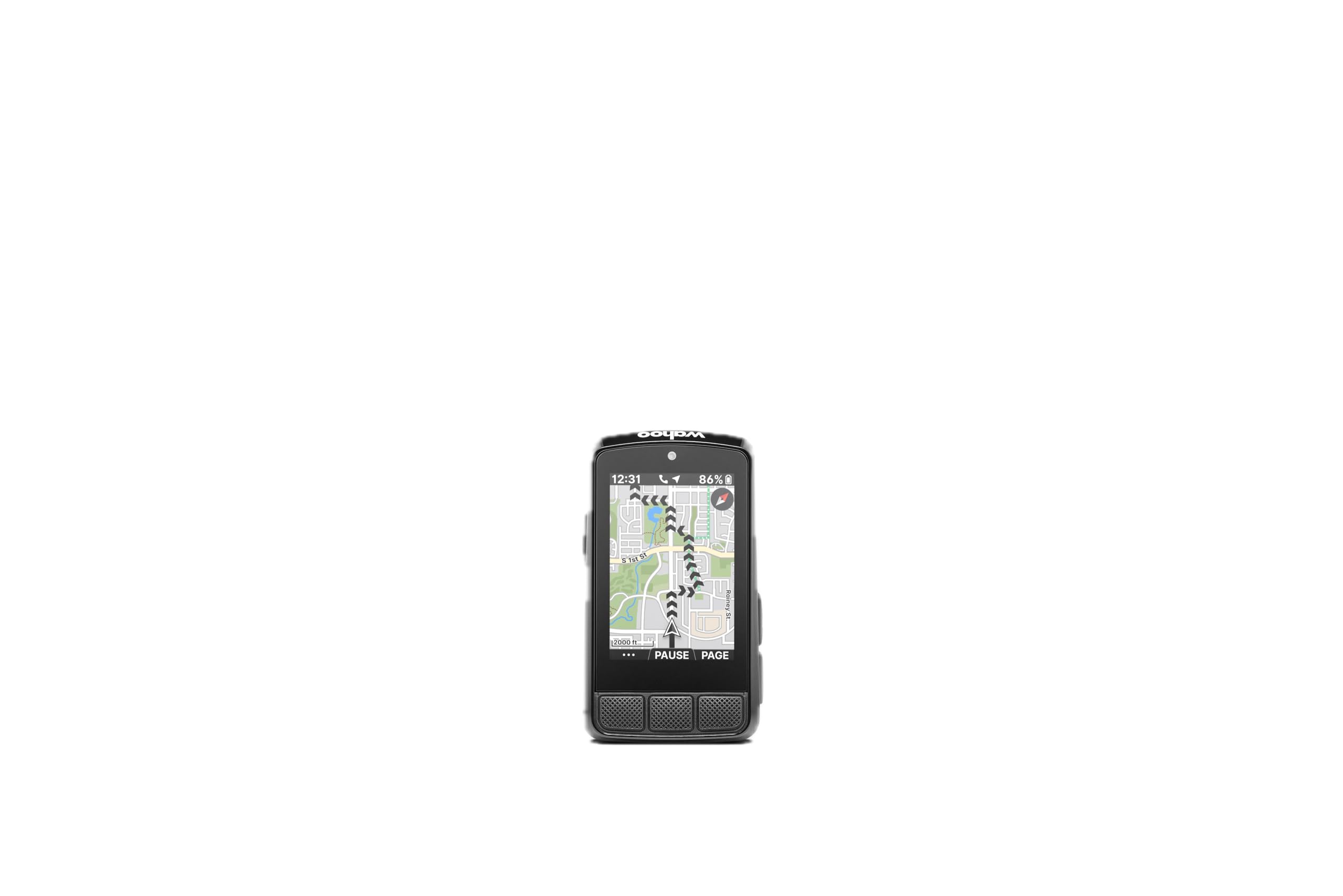
Wahoo ELEMNT Bolt V3

Wahoo ELEMNT Bolt V3

Button-based navigation

Our Score 9.0/10
Check Price

Worth Noting

  • Premium price
Battery
Up to 20 hours
Display
2.3 inches
Navigation
Turn-by-turn
Water Resistance
IPX7
Read the full review

The ELEMNT Bolt V3 is the alternative to the Garmin Edge 540 for riders who want navigation without a touchscreen, and the comparison is closer than the spec sheets suggest. Both use physical buttons, both last about a day of hard riding, and both can guide a route. Wahoo's 2.3-inch screen is compact, and its map view is more about the next turn than the whole landscape.

What we like is the setup. The Wahoo app is clean, routes and workouts arrive automatically from services like Strava and Ride With GPS, and the on-device turn prompts are easy to follow. The buttons give a positive click, which matters when you are wearing gloves and do not want to look down. ANT+ radar and smart-light integration add awareness without cluttering the main data screen.

The Bolt also has a useful trick for riders who change plans: you can pan the map and create a route to a point on the device, or let a saved route recalculate after a wrong turn. That makes it a genuine navigation tool, not just an odometer with a map page. The 20-hour battery is enough for most centuries, though not for multi-day touring without a charge.

We recommend the Bolt V3 to the rider who plans routes in an app and wants the computer to stay out of the way. It is not the computer for someone who wants a big color map to explore; it is the one for following a line, getting a turn prompt, and keeping your hands on the bars. The positive button click is the detail that makes it feel more expensive than its plastic body suggests.

Bottom line: We like the Bolt V3 for riders who want clean turn-by-turn guidance and tactile buttons rather than a touchscreen.

3

Cateye Velo 7

Cateye Velo 7

Simple daily mileage

Our Score 8.8/10
Check Price

Worth Noting

  • No backlight for low-light riding
Mount
Handlebar
Battery
Up to 3 years
Display
2.17 inches
Connectivity
Wired
Read the full review

The Velo 7 is the least expensive computer here, and that is exactly why we keep recommending it: it handles the odometer job without charging, pairing, or an app. The 2.17-inch LCD shows current, average, and maximum speed plus trip and total distance, and CatEye rates the battery for up to three years. We like that there is no wireless handshake to troubleshoot; set the wheel circumference and the unit just counts.

Installation takes a little patience because the sensor, magnet, and cable have to line up cleanly. CatEye's printed instructions are thin, and tire-size setup is the part that trips people up, so measure the wheel rather than guessing from the sidewall. The reward is a display that stays readable in sunlight and a one-button layout simple enough to work with a thumb.

The wired sensor rewards a careful gap. Set it too far from the magnet and the speed reading stutters; set it close and the distance tracking is steady. We paid close attention to that setup because a computer that reports confidently wrong mileage is worse than no computer at all. Once dialed in, it is the type of unit you leave on a commuter for months and forget about.

Compared with the wireless and GPS picks here, the Velo 7 is the one for a rider who wants a permanent, low-drama mileage log. It does not guide you home or sync a ride file, but it also never asks for a charger. That trade is the whole reason it earns the top spot.

Bottom line: For a dependable odometer with no charging and no app, the Velo 7 is our default pick; it is the simplest way to log every ride.

4

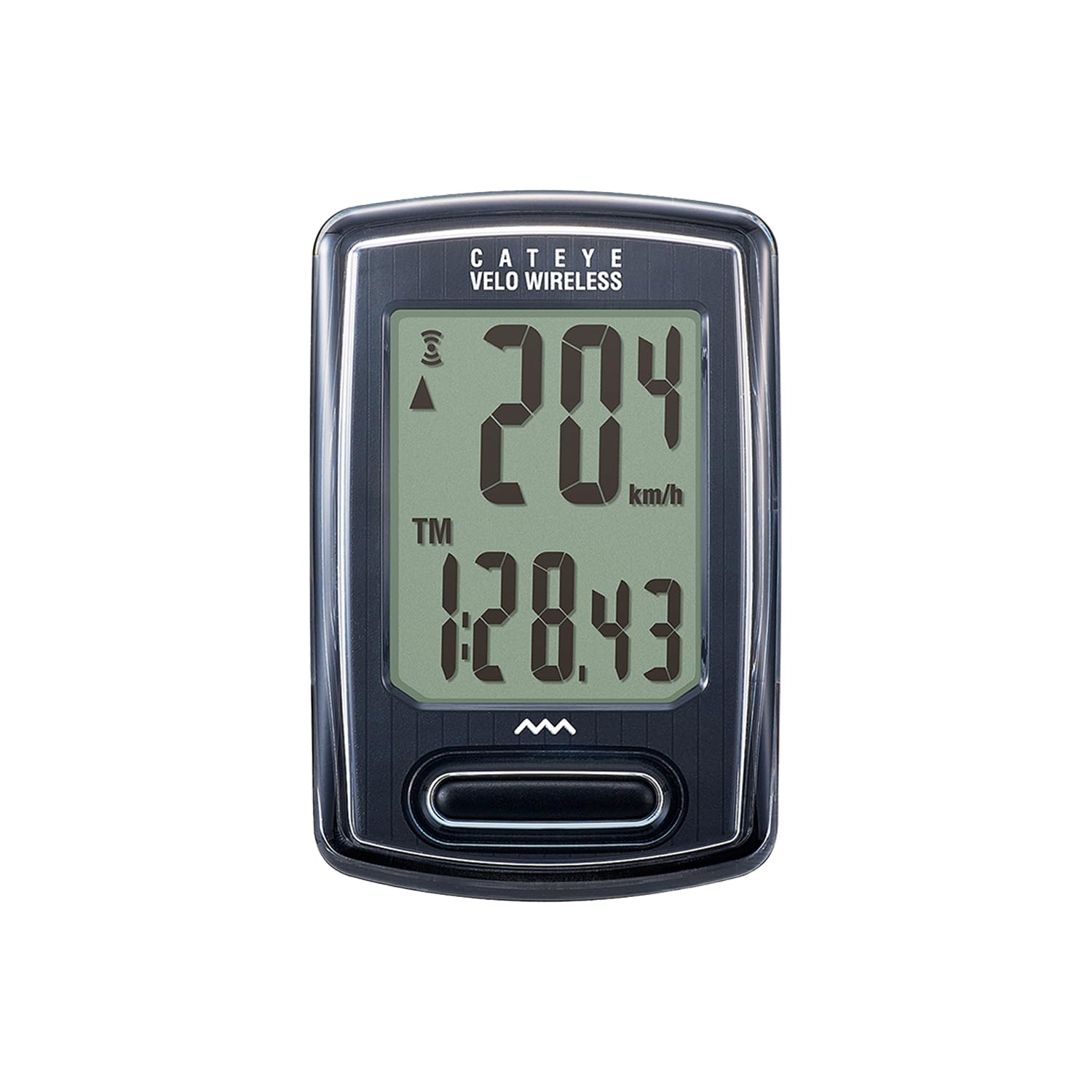
Cateye Velo Wireless

Cateye Velo Wireless

Cable-free basic tracking

Our Score 8.8/10
Check Price

Worth Noting

  • Wireless signal can drop near interference
  • Current-speed digits are small
Mount
Zip-tie bracket
Odometer
Manual set and retained
Connectivity
Proprietary wireless
Water Resistance
IP65
Read the full review

The Velo Wireless removes the cable-routing job: no wire to snake down a fork or zip-tie along the frame. It still uses a wheel magnet and a front-wheel sensor, so you are not paying for GPS or mapping. The head unit is small, the single button cycles through speed, distance, time, and calories, and the wireless sensor means the handlebar stays clean.

We choose it over the wired Velo when installation is the obstacle, not the data. The odometer can be manually set, so changing the battery does not have to wipe your total, and the IP65 rating means a wet commute is not an automatic problem. The screen is compact and uncluttered rather than oversized, which suits a bar-top computer you glance at instead of study.

The calorie count is a nice extra if you use the bike for fitness, though we care more about the total-distance screen. For a rider who wants a simple wireless computer and does not need GPS, this is the easiest upgrade in the group. The manual is not much help, so plan to use CatEye's tire-size chart and a measured wheel circumference.

Bottom line: We choose the Velo Wireless when you want CatEye's simple mileage tracking without running a cable along the frame.

5

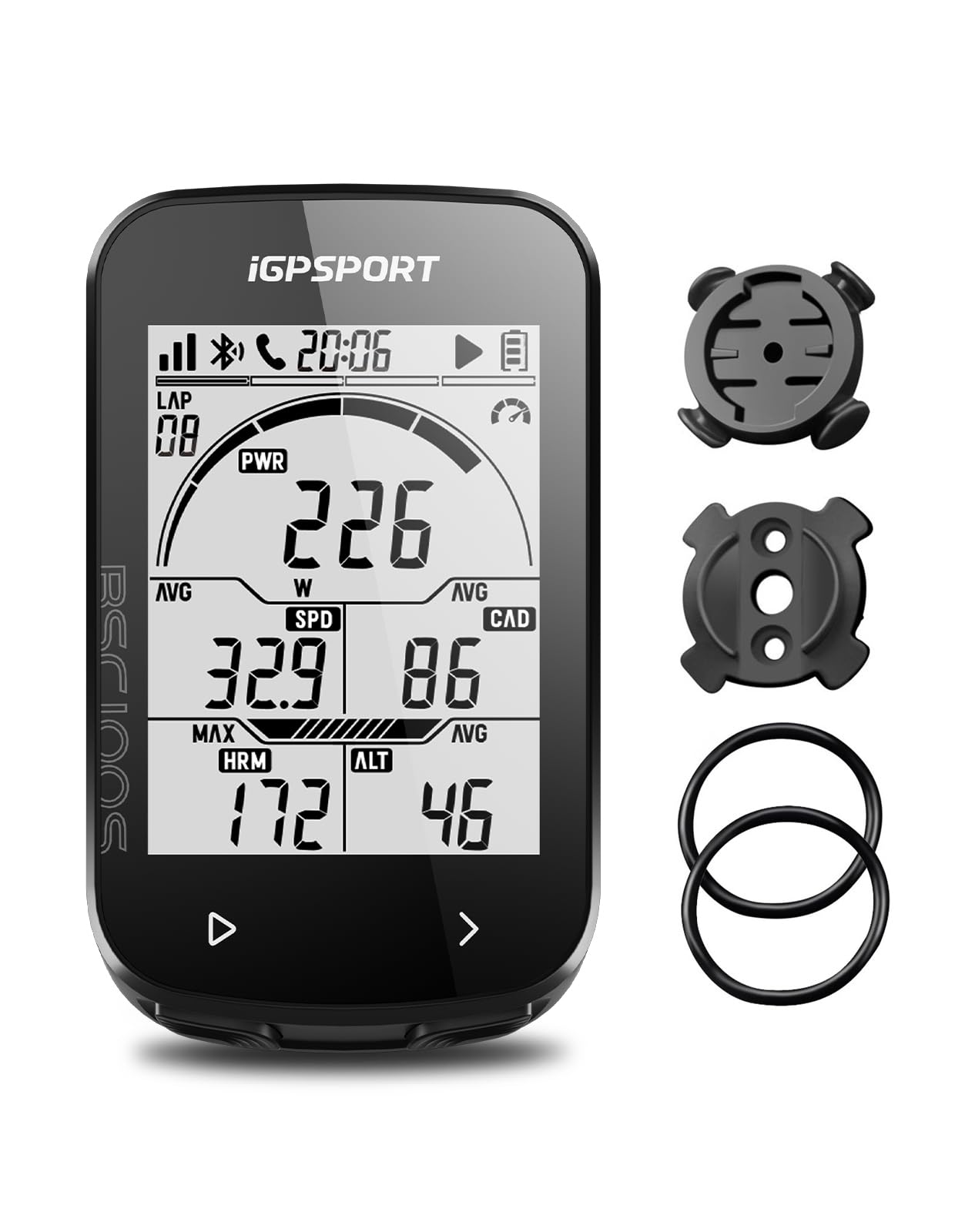
iGPSPORT BSC100S

iGPSPORT BSC100S

Budget app-connected GPS

Our Score 8.8/10
Check Price

Worth Noting

  • No maps or route guidance
  • Can freeze after setup
Battery
Up to 40 hours
Display
2.6 inches
Connectivity
ANT+, Bluetooth
Water Resistance
IPX7
Read the full review

At 2.6 inches, the BSC100S has the biggest screen among the budget GPS units here, and that changes how much you can see without cycling through pages. Speed, distance, time, and elevation data sit in a clear layout, and the anti-glare screen stays readable under a bright sky. For a rider who wants a GPS odometer but does not want to squint, it is a sensible starting point.

We also like that it is not a closed box. The BSC100S records rides and pairs over Bluetooth and ANT+, and the iGPSPORT app handles setup, analysis, and Strava sharing. That makes it more useful than the simplest GPS computers if you already ride with a heart-rate strap or cadence sensor. The 40-hour battery is enough for a week of commuting between charges.

Setup is where our patience thins. The phone app is the intended way in, and getting the unit paired and configured can feel fussier than it should; the printed instructions do not add much. Once it is running, the ride data is clear and the screen is easy to live with. Budget GPS still asks for a little troubleshooting.

Compared with the Garmin and Wahoo picks, the BSC100S is the one we recommend to a rider who wants data and Strava sync but not turn-by-turn navigation. It covers the basics with a bigger screen than most at its price, and the ANT+ support gives it room to grow with sensors.

Bottom line: For a big, readable GPS screen and Strava sync without premium-computer money, the BSC100S is the one we suggest.

6

Garmin Edge 540

Garmin Edge 540

Training and navigation

Our Score 8.8/10
Check Price

Worth Noting

  • Premium price
  • Small text in some map views
Screen
2.6 inches
Battery
Up to 26 hours
Storage
16 GB
Navigation
Multi-band GNSS
Read the full review

The Edge 540 is the button-controlled Garmin, and that is the first decision to make: no touchscreen, no swiping, no rain-induced ghost taps. The 2.6-inch screen and physical buttons are built for gravel, mountain biking, and gloved hands. It also carries proper mapping and multi-band GNSS, so it is a navigation computer as much as an odometer.

Battery life is a serious advantage: Garmin rates it at up to 26 hours in demanding use, and the unit holds a charge through long days. The 16GB of storage leaves room for maps and routes, and it pairs with sensors, Di2, and radar. For a rider who wants training prompts and climb profiles, this is the deepest feature set in the group short of the Edge 1050.

We recommend it for the rider who wants structured training and long routes without the touchscreen. The buttons become second nature once you set up the screens you actually use, and the battery removes range anxiety. It is overkill for someone who only wants a daily mileage log, but that buyer has cheaper options here.

The ClimbPro ascent planner is the feature that makes the 540 feel more than a premium speedometer: it shows remaining ascent and grade without requiring a loaded course. That is useful on an unfamiliar climb, and it is why the 540 stays in our navigation shortlist rather than being just another head unit with a map.

Bottom line: The Edge 540 earns its keep for riders who want serious mapping, training guidance, and physical buttons in a compact, long-running unit.

7

Coospo BC107

Coospo BC107

Long-battery sensor setup

Our Score 8.6/10
Check Price

Worth Noting

  • App pairing can be inconsistent
  • Cannot show current and average speed together
Battery
Up to 80 hours
Display
2.4 inches
Sensor Support
ANT+
Water Resistance
IP67
Read the full review

Eighty hours is the battery claim that makes the BC107 stand out, and for a commuter or a rider who forgets to charge, that is not a small thing. Coospo uses a 2.4-inch FSTN screen with auto backlight, so it stays readable in sun and lights up when the light drops. The unit records rides and connects over ANT+ to heart-rate, speed, cadence, and power sensors.

The BC107 also has the features that make a budget GPS useful beyond a basic odometer: GPS speed and distance, a barometric altimeter, temperature, and Strava sync through the CoospoRide app. The 80-hour battery and IP67 body mean you can leave it on the bike through wet weather and a week of commuting without thinking about charging.

Setup asks for a phone and some patience. The app is the main interface for configuration, and the menus on the device are not as self-explanatory as the screen suggests. Riders who like to press buttons and be done may find the first hour annoying; riders who set it once and sync afterward will be fine.

The sensor support is the reason we recommend it over the simpler GPS units: if you already own an ANT+ heart-rate strap or cadence sensor, the BC107 turns them into useful data without a premium head unit. The screen shows a lot at once, and the auto backlight is a genuinely nice touch on evening rides.

We recommend it to the rider who wants GPS, sensor support, and a battery that outlasts a week of commuting, and who can live with a setup that takes a little work. It is not the most polished computer here, but it is one of the most useful for the money. The 80-hour battery is the feature we keep coming back to; it turns a budget computer into one you can forget about.

Bottom line: The BC107 suits budget-minded riders who want GPS, sensor support, and unusually long battery life in one unit.

8

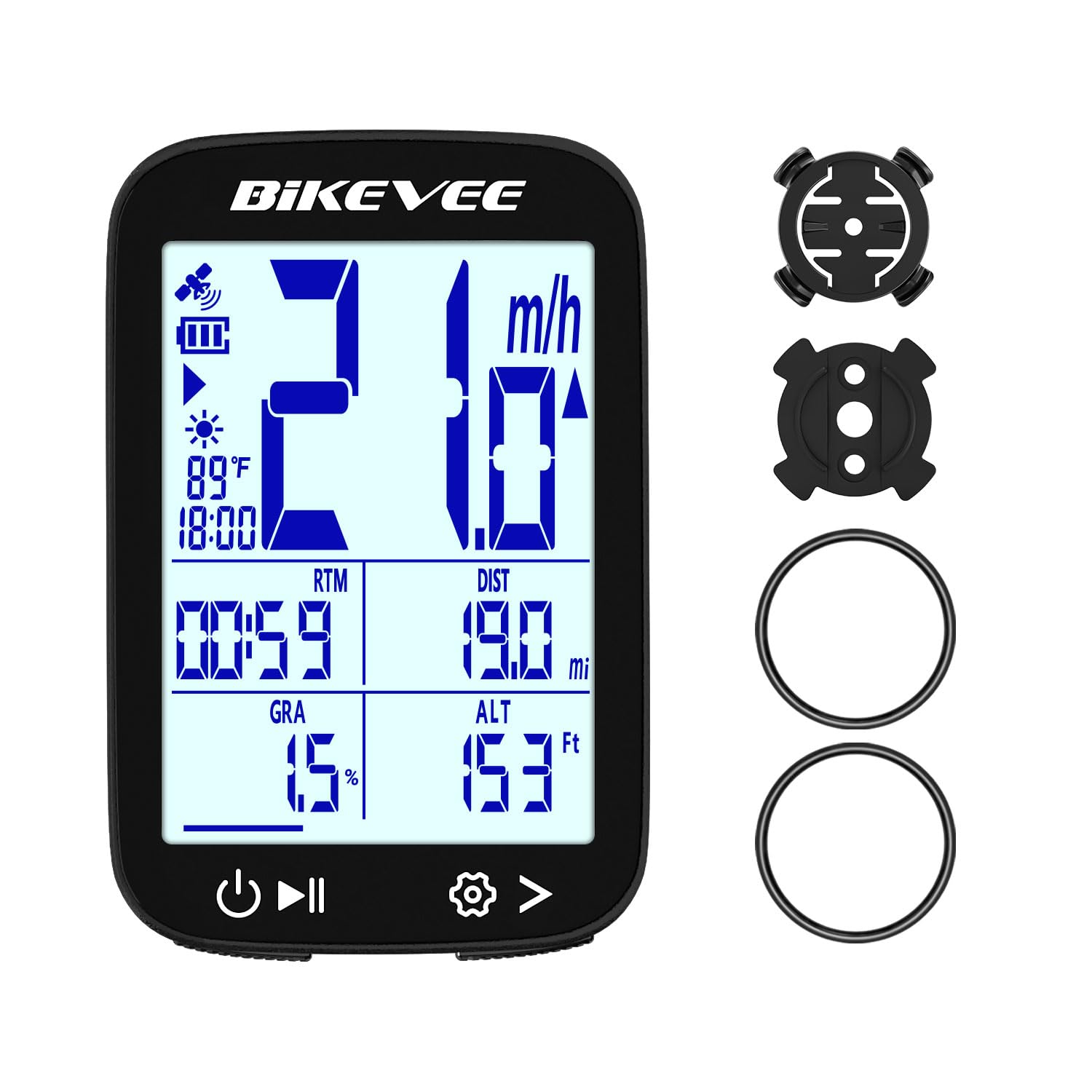
Bikevee GPS Computer

Bikevee GPS Computer

Budget elevation tracking

Our Score 8.6/10
Check Price

Worth Noting

  • Rubber-band mount feels less secure
  • Odometer can be cleared by accident
Battery
Up to 28 hours
Display
2.4 inches
Elevation Data
Altitude, gradient, ascent
Water Resistance
IPX7
Read the full review

Altitude, gradient, and accumulated ascent are unusual at the bottom of this price range, and they are the reason the Bikevee is here. The 2.4-inch LCD shows the usual speed, distance, and ride time, plus elevation data that most budget GPS units leave out. For a rider who cares about climbing but not about maps, that is a useful trade.

The unit weighs 50 grams and runs for up to 28 hours on a charge, with IPX7 protection for rain. It uses GPS for speed and distance, so there is no wheel magnet or spoke sensor to install. The buttons are easy to find with a gloved thumb, and the screen layout is simple enough to read at a glance.

GPS lock is not instant, and the Bikevee can take a minute to find satellites at the start. Once it is running, the elevation data is the part we appreciate: you can see the grade change without loading a route. The speed display is fine for normal road and trail riding, and the unit holds its charge over several short rides.

We recommend it for a climber on a tight budget who wants elevation feedback without a navigation subscription or a premium head unit. The Bikevee is not trying to be a training computer; it is a simple GPS odometer that happens to know when the road tilts up. The gradient readout is the detail that makes it more fun than a basic speed-only unit.

Bottom line: We pick the Bikevee for riders who want GPS speed, distance, and elevation data at the lowest end of the price range.

9

CYCPLUS G1

CYCPLUS G1

Budget GPS tracking

Our Score 8.4/10
Check Price

Worth Noting

  • Speed reading can drift at high speed
  • Instructions are hard to follow
Battery
Up to 50 hours
Display
2.0 inches
Connectivity
Wireless GPS
Water Resistance
IPX6
Read the full review

No wheel magnet, no fork sensor, no wire: the G1 gets speed and distance from GPS, which makes it the cleanest budget install here. We like that for a second bike or a commuter you lock outside, because there is nothing to calibrate against tire size. The 2-inch display is not fancy, but it puts speed, distance, and ride time in front of you without a phone.

Battery life is the other reason it earns a place. CYCPLUS rates it at 50 hours, and the unit sleeps after inactivity; for short weekday loops, that means charging every few weeks rather than every ride. The IPX6 body handles rain and road spray, though it is not built for submersion.

GPS convenience has a waiting period. The G1 can take a while to find satellites at the start, especially between buildings, and the speed reading can wander before it settles. Give it open sky before you roll out and the ride data is useful for everyday distance tracking. It is the cost of skipping the magnet, not a reason to write it off.

We prefer it to a wired unit when the bike changes often or when you do not want another cable. It is not the computer for navigation or training depth; it is the one that answers how far and how fast with the least hardware. The absence of setup hardware is the feature that keeps us coming back.

Bottom line: The G1 is the budget GPS we point to when you want speed and distance without wheel magnets, provided you can wait for a satellite lock.

10

GEOID CC700 Pro

GEOID CC700 Pro

Touchscreen route navigation

Our Score 8.4/10
Check Price

Worth Noting

  • Screen washes out in direct sun
  • Touch controls can feel slow
Screen
2.8 inches
Storage
4 GB
Navigation
Re-route planning
Water Resistance
IPX7
Read the full review

The CC700 Pro is the first computer here that treats the screen as the control surface: a 2.8-inch color touchscreen with map navigation, turn prompts, and on-device rerouting. It is not a Garmin in polish, but it brings the shape of a premium navigation computer down into the midrange. For a rider who wants to see a route rather than just a distance number, that is the appeal.

The touchscreen mostly works. Pinching and tapping through maps is quicker than pushing buttons through a menu, and the 4GB of storage is enough for offline maps and multiple routes. The three-button layout below the screen gives you a physical fallback for starting and stopping a ride, which we appreciate when the screen is wet or gloved.

Navigation is the reason to choose it over a data-only GPS unit. It supports GPX routes, turn reminders, and rerouting when you leave the line. The map view is easy to read at a glance, and the reroute is not instant, but it keeps you moving instead of stopping to replan.

Battery life is rated at 24 hours, which is enough for a long day but not for a multi-day tour without a charger. The unit pairs with sensors, power meters, electronic shifting, and radar, so it can sit at the center of a fairly serious setup. The 4GB of storage and offline map support make it more useful than a phone in a bar mount when the route gets long.

We recommend it for the rider who wants touchscreen route navigation and rerouting without paying premium head-unit money. It is not the most refined touchscreen here, but the navigation core is genuinely useful. The touchscreen is the feature we reach for on unfamiliar roads; the rest of the time it is a very capable data computer.

Bottom line: The CC700 Pro is our value navigation pick for riders who want touchscreen route guidance and rerouting without Garmin or Wahoo prices.

How We Tested the Best Bike Odometers

We started with a shortlist of 14 odometers from brands we'd seen on commuter bikes, shop shelves, and online reviews—basic wired models, wireless units, and a few GPS-enabled options. We filtered out anything with a pattern of dead-on-arrival reports or a user interface that reviewers consistently called confusing, then bought every unit at retail so we could test what a regular customer actually receives.

Testing ran for four months, with each unit rotating across three bikes: a commuter used daily on potholed city streets, a weekend trail bike, and a loaner passed around our office. We installed each odometer from scratch, timing the process and noting whether the instructions were clear enough to follow without a video, then rode in rain, on gravel paths, and after dark to see whether the screen stayed readable in glare and whether buttons worked with gloves. For accuracy, we repeated a measured five-mile loop three times per unit and compared distance and speed against a phone GPS, and for wireless and GPS models we tracked how often they lost signal or needed re-pairing.

At the end, we weighed price against how much fiddling each unit demanded—a cheap odometer that needed constant recalibration wasn't a bargain. We also swapped mounts between bikes and checked battery life, because a unit that dies mid-ride or wobbles loose on a bumpy descent isn't worth the handlebar space.

How to Choose Bike Odometers

Decide Between Wired, Wireless, and GPS

A wired computer like the Cateye Velo 7 is the simplest and most reliable way to log mileage: one sensor, one magnet, and a head unit that runs for years on a coin cell. A wireless model removes the cable but adds a radio link that can be disturbed by lights or a crowded cockpit. GPS is the cleanest install and the easiest way to move between bikes, but it needs satellite lock and charging. Choose wired for a dedicated commuter, wireless for a clean bar on one bike, and GPS if you swap bikes or want ride files.

The trap is assuming GPS is automatically better. For pure distance on a familiar bike, a wheel sensor can be more consistent under trees and between buildings, and it does not care about battery percentage.

Set Accuracy Before You Ride

Wheel-sensor computers are only as accurate as the circumference you enter. Measure the rolled-out distance of one wheel revolution, or use the tire-size chart as a starting point and fine-tune against a known route. A computer set to the wrong tire size is confidently wrong, which is worse than a blank screen. GPS avoids calibration but needs open sky; give it a minute before you start and do not expect perfect speed under heavy tree cover. If you ride the same loop often, compare the total with a phone or known distance and adjust once.

Prioritize Readability and Controls

A big screen is not automatically a readable one. Look at the size of the speed digits, not just the diagonal measurement, and think about whether you will be reading it in sun, rain, or with gloves. The simple LCD on the Velo 7 is easy to glance at, while the Garmin and Wahoo button units trade screen area for tactile control. If you ride with gloves or on rough ground, physical buttons are more dependable than a touchscreen; if you plan routes at the bar, touch is faster. The trap is buying a map screen for a bike where you only need distance.

Match the Battery and Mount to Your Routine

Battery style changes ownership more than any spec sheet number. A coin-cell computer can run for years, but you need to remember the odometer total before a change; a rechargeable GPS needs a cable and a routine. The Coospo BC107's 80-hour rating is the long end here, while the Garmin Edge 540 and 1050 are built around bigger screens and shorter runs. Mount security matters just as much: a clip-in or rubber-band mount can shift on rough ground, so use the tether where one is supplied and check the gap after the first ride.

Know What You Want Beyond Distance

An odometer only needs speed, distance, and a total that survives battery changes. Everything above that is a different purchase: cadence and heart-rate support, Strava sync, mapping, rerouting, and training prompts. The iGPSPORT BSC100S and Coospo BC107 are the budget route into sensor data; the Wahoo ELEMNT Bolt V3 and Garmin Edge 540 add navigation and structured riding; the Edge 1050 adds the biggest touchscreen and rider alerts. Be honest about whether you will use those features. A simple computer you never think about beats a feature-packed one you stop charging.

Frequently Asked Questions

Final Verdict

Most riders should buy the Cateye Velo 7. It is the least expensive computer here, it runs for years on a coin cell, and it tracks speed and distance without an app, a charger, or a satellite wait. The wired sensor is a small install job, not a daily burden.

If you want GPS and ride more than one bike, the CYCPLUS G1 or iGPSPORT BSC100S is the better fit; for navigation, the Wahoo ELEMNT Bolt V3 is the cleanest button-based choice. The Velo 7 remains the default because it does the odometer job with the fewest things to go wrong.