Indoor Training

Best Indoor Smart Bikes of 2026

The biggest risk with an indoor smart bike isn't that it breaks — it's that it quietly becomes the most expensive coat rack in the house. That usually has nothing to do with the class library and everything to do with the machine itself: a bike that rocks when you stand to sprint, a saddle that numbs you by minute twenty, or a flywheel loud enough to hear through the floor is a bike you stop riding by February. The right one takes away the excuses — no commute, no waitlist for the 6 a.m. slot, no reason to skip a rainy Tuesday.

I've ridden six of them in my living room over the past eight months and assembled every one myself. Some went from box to first ride in half an hour; another took most of an afternoon and a second set of hands. One thing nobody tells a first-time buyer: the bike is only half the bill — the class subscription is the number worth adding up over three years. Here are the ones that earned their floor space.

1

Schwinn IC4

Top Pick
Schwinn IC4

App-based training

Our Score 9.0/10
Check Price

Worth Noting

  • Basic console with no touchscreen
  • Heavy, unassembled delivery
Warranty
10 years frame, 3 years parts
Resistance
Magnetic, 100 micro-adjustable levels
Connectivity
Bluetooth; pairs with Peloton, Zwift, JRNY
Rider Capacity
330 lb
Read the full review

Plenty of bikes in this category sell you a screen and hope the hardware underneath keeps up. The IC4 goes the other way: a magnetic resistance unit with 100 micro-adjustable levels, a belt drive, and a Bluetooth radio that the training apps people already pay for accept without argument. We tested it alongside the screen-equipped bikes here and it is the one we keep recommending as the default, because the ride feels like a studio bike and your own tablet or TV supplies the class.

Bluetooth is the whole point. The console reads cadence, heart rate and resistance, then pairs with Peloton, Zwift and JRNY so the numbers move with the class rather than sitting on a separate display. That makes the bike the part that ages well: when a subscription changes or a new app turns up, the hardware underneath is still worth keeping.

It arrives unassembled and it is heavy — 112 pounds of steel that two people should lift out of the box. That weight is exactly what you want once it is built. With a 330-pound rider capacity it stays put when you stand to sprint, and the belt drive keeps noise low enough for a shared apartment. Assembly itself is straightforward; just confirm the pedal threading before you force anything.

Two things stood out over weeks of use. The console is basic — it shows the numbers you need and nothing more, so anyone expecting a touchscreen will be disappointed. And a saddle swap makes an outsized difference: the stock one is firm and narrow, and a standard clamp means a replacement takes minutes rather than tools. Neither changes the recommendation, because the frame and the resistance are the parts you cannot upgrade later.

Bottom line: We point most riders to the IC4: it pairs with Peloton, Zwift and JRNY, holds steady at sprint effort, and carries a 10-year frame warranty.

2

pooboo Exercise Bike

pooboo Exercise Bike

Budget home cardio

Our Score 9.0/10
Check Price

Worth Noting

  • Resistance is manual, not app-controlled
Resistance
Magnetic, 100 levels
Connectivity
Bluetooth with MERACH app
Device Holder
Tablet and laptop rack
Rider Capacity
350 lb
Read the full review

A few years ago this money bought a bike you outgrew in a season. The pooboo does not: 100 magnetic resistance levels, a 350-pound rider limit, and Bluetooth that pipes the ride into the MERACH app. It is the bike that made the biggest jump in this price bracket, and it is where we send anyone who wants to start riding indoors without committing to a premium machine.

What we appreciate most is how little it gives up. The frame is steel, the ride is quiet enough that someone can sleep in the next room, and assembly is about as painless as a full-size bike gets — most of the work is bolting on the stabilizers and the console. For a household where two people of different heights share one bike, the seat and handlebars adjust far enough to make that realistic rather than theoretical.

The screen is the absence you notice. There is no display beyond a plain LCD, so the smart half of the ride lives in your phone or tablet in the holder, and you are the one who decides whether that counts as a feature or a chore. We came to see it as a good bike with a phone mount, which at this price is the right trade — the quiet, sturdy ride is what you are actually paying for.

Bottom line: We steer budget buyers to the pooboo first: 100 magnetic levels, a 350-pound limit and Bluetooth to the MERACH app for considerably less than most bikes here.

3

MERACH 15.6-Inch Screen Bike

MERACH 15.6-Inch Screen Bike

Screen-led workouts

Our Score 9.0/10
Check Price

Worth Noting

  • Only eight resistance steps
  • Firm saddle on longer rides
Display
15.6-inch HD swivel screen
Resistance
Magnetic, 8 levels
Connectivity
Merach app, Kinomap, Zwift
Rider Capacity
300 lb
Read the full review

The screen is the reason to look at this bike, and it earns it: a 15.6-inch 1080p panel that mirrors from your phone, swivels 90 degrees and tilts 60, so it faces you on the bike and swings sideways when you drop to the floor for the rest of the session. In a spare room, that turns a corner into something that looks like a studio.

We came away thinking of it as the best screen-first option here — not because of the panel alone, but because everything else is already there. Merach's course library, Kinomap and Zwift support, a dumbbell rack, a quiet belt drive, and enough adjustment for riders from 4'8" to 6'2". If your workout is a class you follow rather than a route you build, this is the shape of bike you want.

Living with the screen turned out easier than we expected. The panel is bright enough for a room with windows, the mount holds a phone for mirroring without wobble, and the bike runs the Merach app on its own so a class starts without a second device. Pair Zwift instead and the screen becomes a second display rather than the whole system.

Bottom line: For riders who follow classes rather than build routes, the MERACH earns the pick: a 15.6-inch swivel screen, Merach and Zwift courses on board, and a frame that stays steady.

4

CHAOKE 520A Exercise Bike

CHAOKE 520A Exercise Bike

Small rooms

Our Score 9.0/10
Check Price

Worth Noting

  • 300-pound capacity and 6'1" height ceiling
Footprint
32.3"D x 19.2"W x 39.4"H
Resistance
Magnetic, 100 levels
App Support
Kinomap and similar apps
Rider Capacity
300 lb
Read the full review

If the bike has to live in a bedroom, a landing or the corner of a home office, width matters more than almost anything on the spec sheet. The CHAOKE is 19.2 inches wide and 32.3 inches long — one of the smallest footprints in this group — and at 48 pounds it is light enough to shift when the room needs to be a room again.

It is quiet, which is the other half of the small-space argument: a belt-driven magnetic unit that does not announce itself through a wall. Assembly is the easiest we met — most of the bike arrives pre-built, and the remaining steps take about half an hour with the included tools. The 100-level resistance knob moves smoothly from an easy spin to a hard climb, and the H-frame keeps the whole thing rigid under load.

We rate the ride above its price. Sharing it between two riders takes a minute at the seat and handlebar collars, the connection to Kinomap is straightforward, and nothing about the finish feels like the cheapest option in the group. It is the compact bike we recommend without a hedge.

Bottom line: For small rooms, the CHAOKE earns our pick: a 19.2-inch-wide frame, quiet magnetic resistance and the fastest assembly in this group.

5

YESOUL S3 Exercise Bike

YESOUL S3 Exercise Bike

Tablet-based classes

Our Score 8.8/10
Check Price

Worth Noting

  • Smart features depend on your own tablet
Resistance
Magnetic, 100 levels
Connectivity
Bluetooth with YESOUL app
Device Mount
10-inch tablet mount
Rider Capacity
350 lb
Read the full review

The premise here is that you already own a good screen. The bike carries a 10-inch tablet mount, pairs over Bluetooth with a heart rate monitor and the YESOUL app, and leaves the display to the device in your bag. That is a sensible way to keep money in the parts that last: a magnetic resistance unit with 100 levels and a 350-pound steel frame, rather than a panel that dates the bike.

Fit is the strongest argument for it. It is rated for riders from 4.9 to 6.2 feet, which covers most households, and the resistance knob doubles as an emergency brake — press it and the flywheel stops. The belt drive keeps it quiet, and it runs on batteries, so there is no cord to route across a floor.

We think it is the sensible middle of this group. There is more frame and more resistance here than the budget bikes offer, and none of the premium that comes with a built-in display; what you are buying is the hardware, with the classes handled elsewhere. For a rider who already pays for a training app, that is the cleanest way to spend the money.

Bottom line: This is the smart bike for riders who prefer their own tablet: 100 magnetic levels, a 350-pound capacity and Bluetooth into the YESOUL app, with no built-in display to pay for.

6

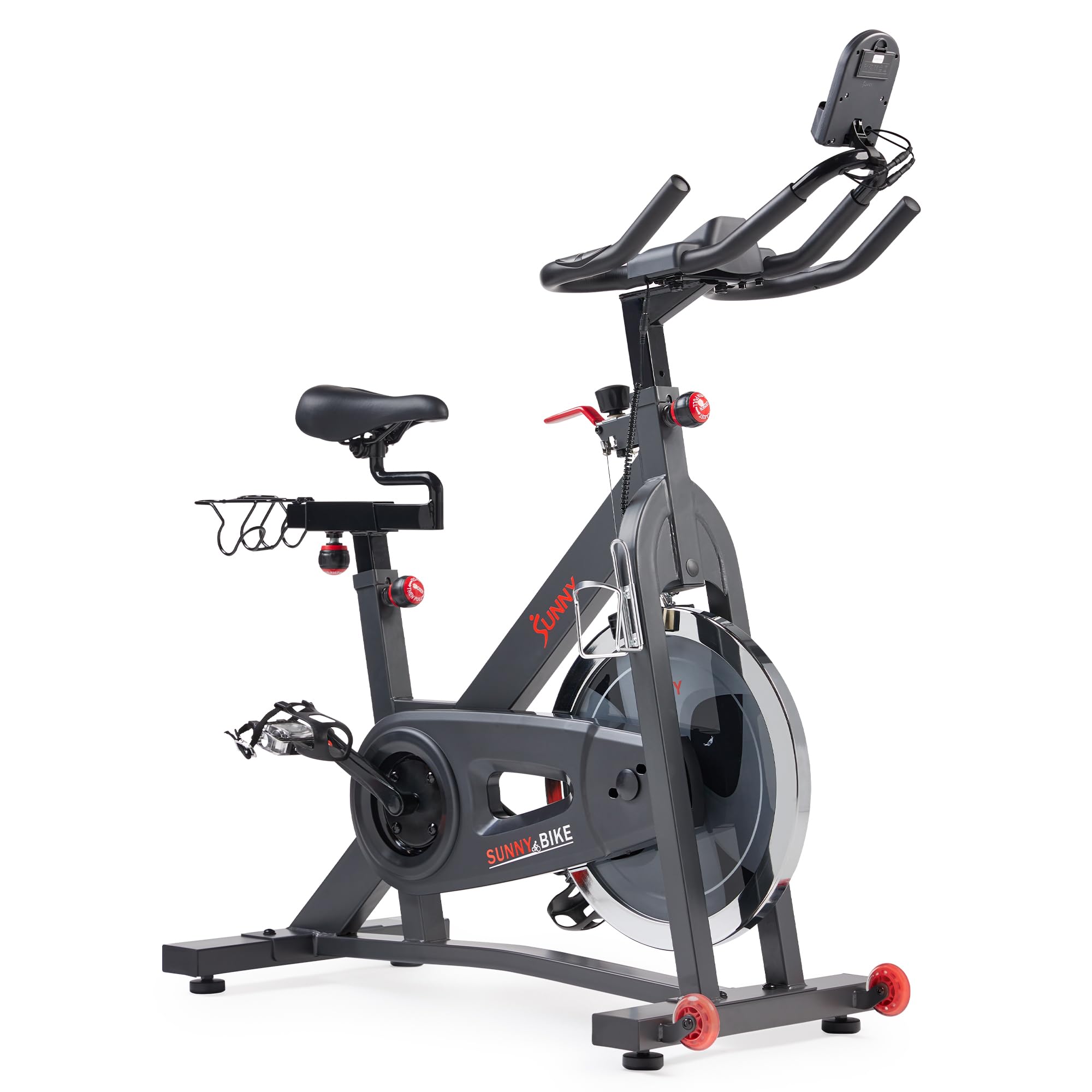
Sunny SF-B901SMART

Sunny SF-B901SMART

Studio-style spin

Our Score 8.6/10
Check Price

Worth Noting

  • 275-pound weight limit
  • Firm saddle that most riders replace
App
Free SunnyFit app
Flywheel
40 lb
Resistance
Friction, stepless knob
Rider Capacity
275 lb
Read the full review

A felt pad pressed against a 40-pound flywheel is the old way of building a spin bike, and Sunny has kept it while the rest of this group went magnetic. That is not automatically a bad thing: the heavy flywheel gives the road-like drag road riders look for, and the resistance knob is stepless — you turn until it feels right, with no numbered clicks between you and the effort.

The SunnyFit app is the other draw, and it is genuinely free: more than a thousand trainer-led workouts and thousands of virtual routes with no membership. Pair a phone over Bluetooth for the numbers and you have a complete setup without a second subscription. That is a better deal than it sounds, because class content is usually where these bikes make their money back.

Where friction shows its age is noise and upkeep. The pad can squeal when it is dry or glazed, and it wears, so this is a bike that asks for a wipe and an occasional turn of the tensioner in a way magnetic bikes do not. The belt drive itself is quiet; it is the pad interface that makes the sound, and a few minutes with the adjustment nut settles most of it.

We still like it for a specific rider: someone who wants a heavy-flywheel spin feel, does not want to pay for a screen, and will happily use a free class library. The alloy steel frame is solid, and that free app keeps the running cost near zero. Check the seat collar when you build it — it can settle over the first few rides — and mark your height so a slipped post is obvious.

Bottom line: If a heavy flywheel and a free class library matter more to you than magnetic resistance, the Sunny is the bike we hand you.

7

CURSOR CBE10 Exercise Bike

CURSOR CBE10 Exercise Bike

First indoor bike

Our Score 8.6/10
Check Price

Worth Noting

  • Friction pad resistance rather than magnetic
Assembly
Tool-free, under 30 minutes
Fit Range
4'8" to 6'2"
Resistance
Friction
Rider Capacity
300 lb
Read the full review

CURSOR promises a full-size bike out of the box in under half an hour, tool-free, and the design backs it up: the major components arrive joined, and the steps left are knob-tightened. That matters more than it sounds, because an unassembled bike is often the reason cheap exercise equipment ends up on a curb.

We like it as the entry point. Resistance comes from a friction pad rather than magnets, and the drag is stepless in the way a real climb is — you turn the knob and the effort climbs with it. At 39.7 pounds it is the lightest bike here, which makes it easy to roll aside between sessions; if you sprint out of the saddle, a heavier frame will feel more planted.

Fit runs from 4'8" to 6'2" with seven seat-height settings, the LCD covers time, speed, distance and calories, and there is a mount for a phone or tablet so a class app can run the session. It is not the bike we point to for daily hard training, but as a first indoor bike, or a second one for a spare room, it is the lowest-risk way to start.

Bottom line: The CURSOR is the least expensive way into a full-size, app-capable bike here, and the tool-free build makes it the least intimidating to set up.

How We Tested Six Smart Bikes Over Eight Months

We started with every smart bike a normal person might actually buy — bikes with a built-in screen, bikes that pair with a tablet, and a few in between — then narrowed by price, footprint, warranty, and whether the company stocks replacement parts. Six made the cut, and I lived with each one for at least a month across an eight-month stretch, riding four to five times a week.

Assembly came first, because it's the first thing you'll do. I built each bike alone, timed it, and noted where the instructions went vague — one needed a second person to hold the handlebars, and a couple shipped with hardware that cross-threaded if you weren't careful. Then I rode: short spins, 30-minute steady efforts, and standing sprints at max resistance to see whether the frame rocked, the seat post slipped, or the pedals developed play.

For noise, I rode at 6 a.m. in a second-floor room with a decibel meter on the floor and a volunteer listening from the room below; a soft hum was fine, a whine that carried through the floorboards was not. Comfort got judged at the 45-minute mark and by whether the saddle and handlebars adjusted far enough for a 5-foot-4 rider and a 6-foot-1 one. Durability sorted itself out over eight months of near-daily use — the bikes that stayed silent and tight are the ones still in the room.

Value was the last thing I tallied and the least obvious. I added up each bike's price plus three years of its required subscription and set that against a gym membership over the same stretch; the cheapest bike up front was rarely the cheapest to own.

How to Choose Indoor Smart Bikes

Decide What Smart Has to Mean

Three kinds of connectivity show up here, and they are not interchangeable. The most useful is Bluetooth that sends real cadence, speed and resistance data to apps you already use, because you keep choosing the software. Next is a maker's own app, which usually means a class library and basic tracking with the bike acting as a sensor. Last is a built-in screen, the most convenient and the least future-proof.

If you already pay for a training app, buy for pairing and let your tablet or TV do the display work. If you know you will not open an app, the screen model earns its premium.

Magnetic or Friction Resistance

Magnetic resistance is quiet, needs almost no upkeep, and divides into fine steps — 100 levels on several bikes here, eight on the screen model we recommend. A friction pad pressing the flywheel costs less and feels heavier to some riders, but the pad wears, can squeal, and needs re-tensioning.

In a shared apartment, magnetic wins on noise alone. In a garage where you want a road-like drag and don't mind a wrench now and then, friction is honest value.

Fit Comes Before the Feature List

Two numbers decide whether a bike is usable: the rider height or inseam range, and the maximum rider weight. They vary more than the marketing suggests, from a 275-pound ceiling to 350. A four-way seat, which moves up and down as well as fore and aft, is what makes one bike shareable between two people.

Watch for the word compact. On these listings it describes the footprint rather than the rider, so a short frame can still fit a tall rider — and a narrow one can carry the lowest weight ceiling in the group.

Noise, Floors and Neighbors

Belt drives are quiet; the things bolted to them are not always. Squeaks usually come from a friction pad, a loose seat collar, or pedals that need tightening, so a first-month pass with a wrench prevents most of what people complain about later. A rubber mat under the bike protects hardwood and takes the edge off vibration.

If the bike lives upstairs, set it against a wall rather than in the middle of a span, and check the stabilizers are level before your first hard session.

Plan on a New Saddle

Almost every bike in this category ships a firm, narrow saddle, and that is not a defect — a wide padded seat rubs on longer rides. It is a cost to plan for. Check that the seat post uses a standard clamp, then budget for a replacement you actually like.

Do the same maths on the seat collar. Posts that creep are easy to catch if you mark your height with a strip of tape on the first day.

Frequently Asked Questions

Final Verdict

For most people, the Schwinn IC4 is the smart bike to buy. It pairs with the software you already pay for, holds steady when you stand to sprint, and the frame warranty makes a long ownership realistic — the parts you cannot upgrade later are the ones worth paying for now.

If the price is the obstacle, the pooboo does the same job for a fraction of it, with 100 magnetic levels, a 350-pound limit and Bluetooth into a free app. Choose the MERACH only if a built-in screen will genuinely get you on the bike more often.